All your invoices. One place.
AI accounting automation that gathers all invoices, process them and reconcile them.
No credit card required
Invoices
Review documents detected as invoices from connected inboxes, uploads, folders, and chat bots.
Features
Four building blocks that turn scattered invoices into clean, reconciled records—ready for your accountant.
Inbox Scanning
Connect inboxes and scan any date range to find invoices automatically.
 Gmail
Gmail Outlook
AI Processing
Detect invoices, extract key fields, and surface exceptions for review.
Statement Reconciliation
Upload bank statements and match payments to invoices.
Integrations
Connect Drive folders, email providers, and Telegram/WhatsApp bots so invoices keep flowing in without manual work.



Collect, reconcile, and close faster
Clerko brings invoices in, extracts the data, and helps match payments—so you close with fewer gaps and corrections.

- 1. Connect your sources (minutes)
- 2. Extract invoice and receipt data(10–30 min)
- 3. Reconcile and share clean records(same day)
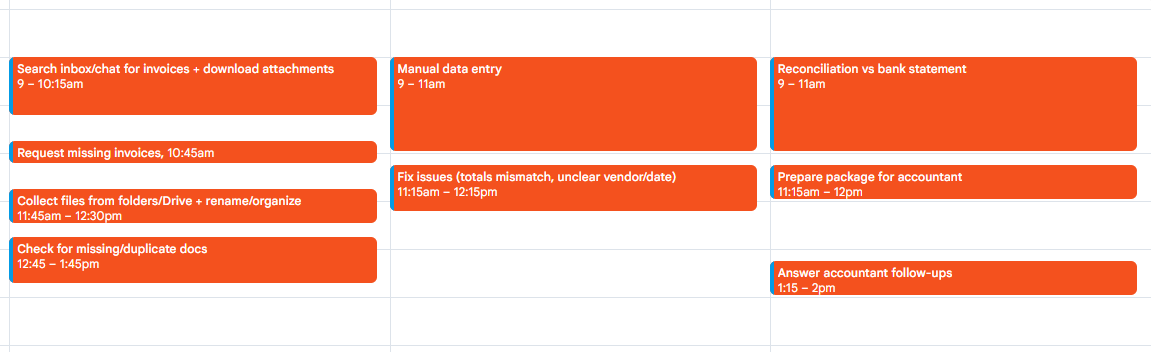
- Chasing invoices across email and chat
- Missing attachments and incomplete details
- Manual typing and copy-paste errors
- Checking bank payments against invoices by hand
See results in your first 24 hours with Clerko
Quick to set up — and you’ll feel the difference by tomorrow.
Start collecting
- Connect inboxes and chat bots
- Run your first scan
- See invoices in one place
Automate the workflow
- Auto-detect invoices from email and chat
- Extract fields from PDFs & photos
- Review exceptions in minutes
Close faster
- Share/export to your accountant
- Reconcile with bank statements
- Less back-and-forth
FAQ
What sources can I connect?
Can I find invoices from the past?
How does reconciliation work?
Is Clerko a replacement for my accountant?
How do you prevent mistakes?
How do I get started?
Is it safe to send documents to Clerko?
Yes. Clerko passed the CASA Tier 2 assessment required by Google for security purposes.
Start free
Find your first invoices in 5 minutes
Connect your inbox or upload files, then let Clerko pull invoices into one place. No credit card required.
Already have an account? Log in
First scan
Invoices found
Email inbox connected
Scanning attachments
14 invoices detected
PDFs and photos