If you need an Amazon receipt fast, the usual desktop path is: sign in, open Returns & Orders, find the order, select Invoice or View invoice, then use Print this page for your records to print it or save it as a PDF. If you are doing this for accounting, reimbursement, taxes, or a warranty claim, the invoice is usually the document you want, not just the order confirmation.
The fastest way to get an Amazon receipt
For most standard Amazon orders on desktop:
- Sign in to your Amazon account.
- Open
Returns & Ordersin the top-right navigation. - Find the order you need.
- Select
InvoiceorView invoice. - Choose
Print this page for your records. - Print it, or use your browser’s print dialog to save it as a PDF.
That is the shortest path for most users. The rest of this guide covers the versions that cause confusion: mobile, email, Amazon Business, and orders where the invoice link does not appear.
Receipt vs invoice vs order summary
People often search for an Amazon receipt when they really need an invoice.
- Receipt / order confirmation: useful for a quick reference that the purchase happened
- Invoice: better for bookkeeping, taxes, expense claims, reimbursements, and warranty paperwork
- Order summary: similar to a receipt, but not always the same as the formal invoice
If your accountant, employer, or tax workflow needs a more official purchase document, start by looking for Invoice.
How to get an Amazon receipt on desktop
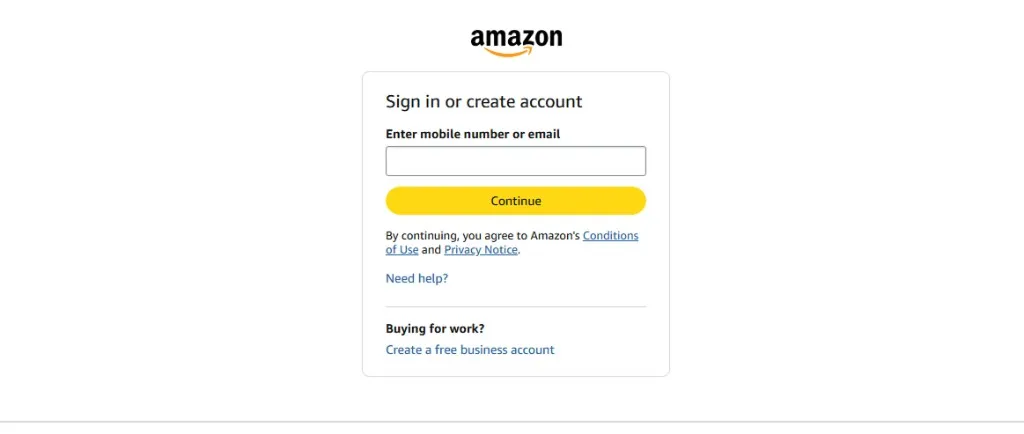
1. Sign in to Amazon
Go to Amazon in your browser and sign in with the account that placed the order.
2. Open Returns & Orders
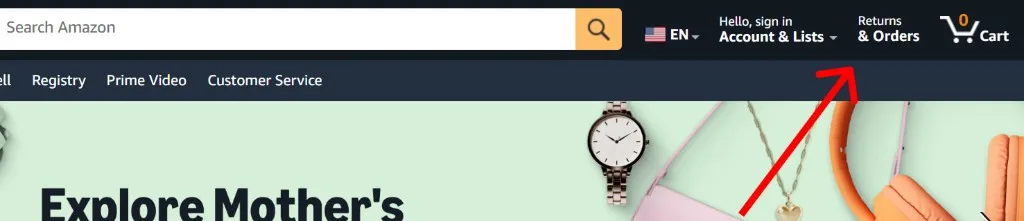
On the desktop site, open Returns & Orders in the top-right area of the page. This takes you to your order history.
3. Find the correct order
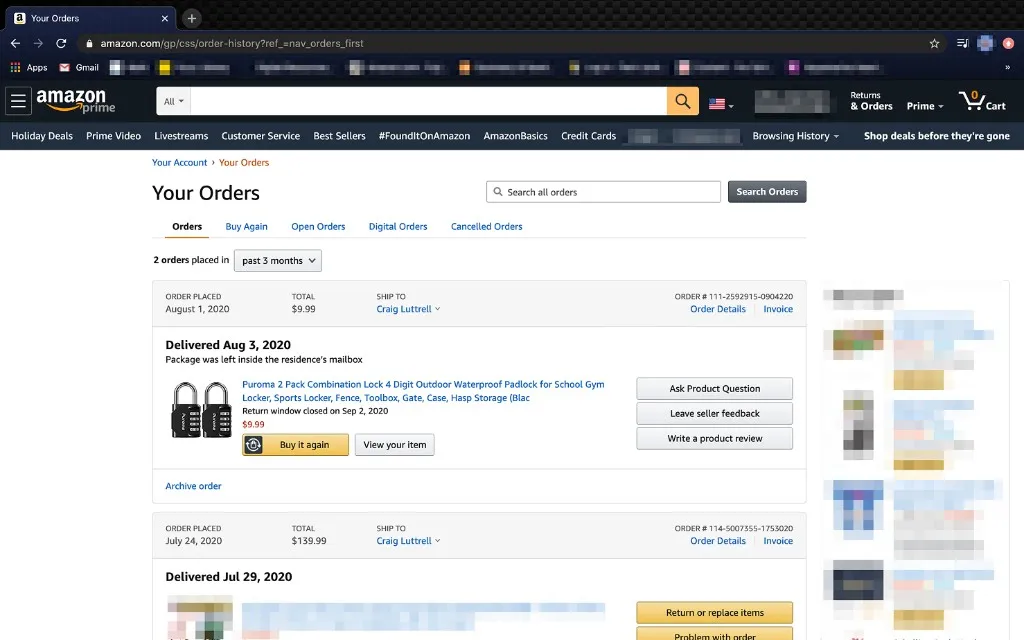
Use the order list, the search box, or the date filter to locate the purchase. This matters if you are looking for an older order or if the vendor name on the card statement is not obvious.
4. Select Invoice or View invoice
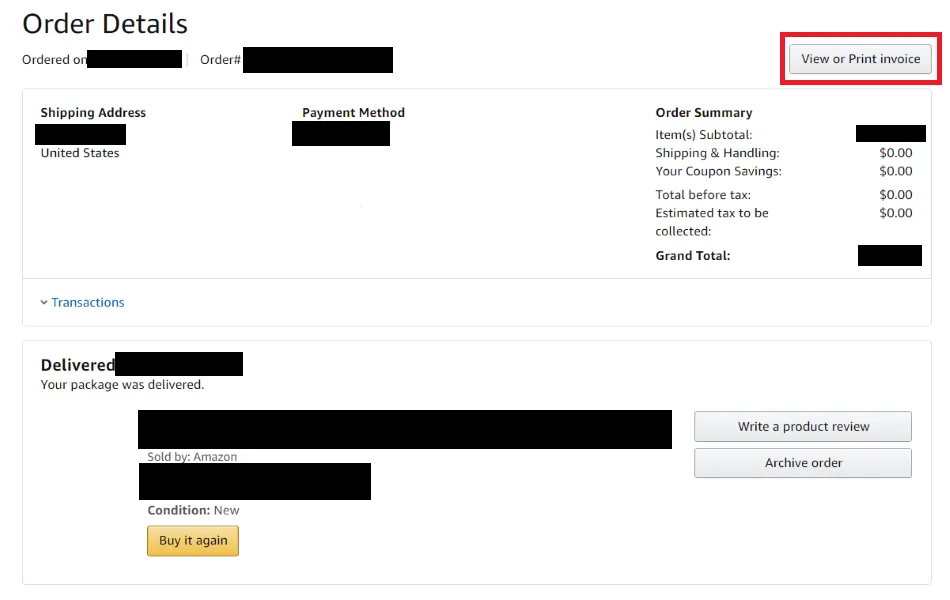
Open the order details and look for Invoice or View invoice. Amazon places this link near the order details area. Once you open it, verify you are looking at the correct document before printing or saving it.
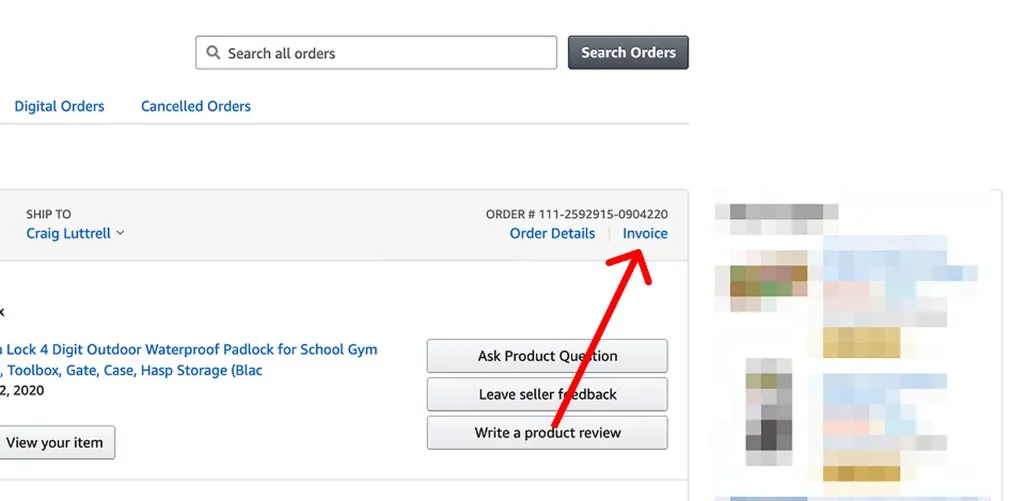
5. Print it or save it as a PDF
On the invoice page, use Print this page for your records. If you do not want a paper copy, save it as a PDF from your browser’s print dialog.
This is the safest advice because desktop interfaces can vary a bit, but printing to PDF is the consistent fallback.
How to get an Amazon receipt in the app
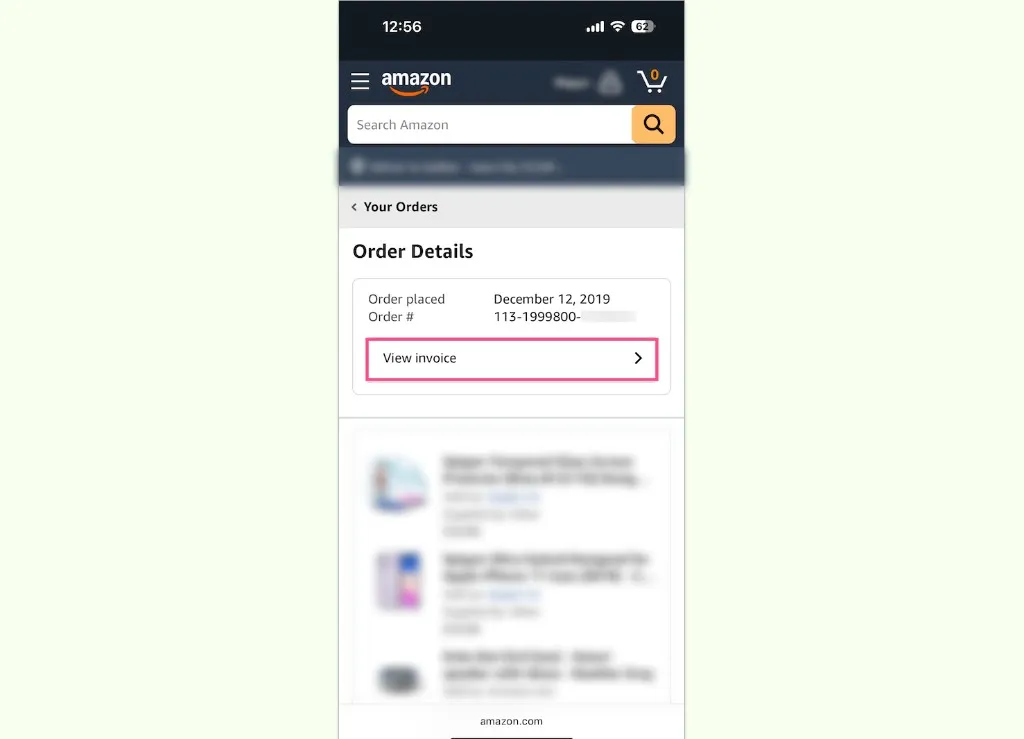
If you are on the Amazon mobile app, the wording may differ slightly by device and marketplace, but the path is often:
- Open the Amazon app.
- Tap the user/profile icon.
- Open
Your Orders. - Select the order.
- Scroll down and tap
Download Invoice. - Choose
Invoiceand download the document.
If the app does not show a download option, switch to desktop or mobile web. That is often faster than hunting through menus.
How to get the receipt from your Amazon email
Amazon also sends order confirmation emails. This can be a quick recovery path when you remember the purchase but do not want to scroll through your full order history.
- Open the Amazon order confirmation email.
- Find the linked order number.
- Open the order details from that email.
- From there, select the invoice or print view.
This is especially helpful when you are looking for a specific purchase from a busy month or trying to match a charge on a card statement.
How Amazon Business changes the workflow
If you use Amazon Business, there are two common scenarios:
Per-order invoice lookup
For a single purchase, you can often use the same path as a regular Amazon order: Your Orders and then Invoice.
Higher-volume reporting and invoice retrieval
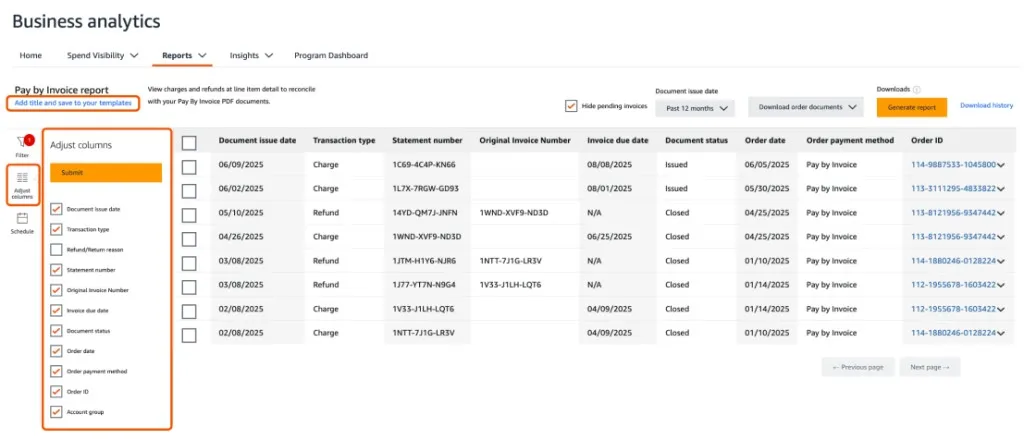
If you are managing more than one buyer, multiple departments, or monthly finance reporting, Amazon Business gives you extra reporting paths. Depending on the account setup, that can include View order reports, invoice-related views, or Business Analytics.
That matters because a finance team usually does not want to open invoices one by one forever.
Business Prime membership invoices
If what you need is the Business Prime membership invoice rather than a product-order invoice, the path is separate from normal retail orders. Amazon documents that under business account settings and membership management, so do not assume it will live in the same place as a normal order invoice.
Why View invoice may be missing
This is the part many short guides skip.
The order may not have shipped yet
Amazon generally makes the invoice available after shipment. If you check too early, you may only see an order confirmation or summary.
You may be looking at the wrong document
Some users stop at the order summary because it looks close enough. If you need the stronger accounting document, keep looking for the invoice link.
It may be a marketplace-seller workflow
For some seller-issued orders, Amazon may show a request flow instead of a direct download. If that happens, request the invoice through the seller/order workflow and keep the order number handy.
The app may hide an option that desktop shows clearly
If the mobile flow feels ambiguous, use desktop. It is usually easier to verify that you opened the actual invoice page.
Tips if you need the document for accounting or reimbursement
- Save the invoice with the original order context still visible before you rename the file.
- If you submit expenses regularly, prefer the invoice over a screenshot of the order page.
- If you need multiple Amazon receipts every month, keep the files in PDF format and store them consistently.
- If your pain point is not finding one receipt, but repeatedly collecting invoice emails and portal downloads, link that problem to your larger AP workflow rather than solving each lookup manually.
If that is your situation, the next useful pages are Inbox Scanning, AI Processing, and Integrations. You can also browse the full tutorial hub for more vendor-specific walkthroughs.
FAQ
Is an Amazon order summary the same as an invoice?
No. The order summary confirms what you bought, but the invoice is the stronger accounting document because it usually includes seller and tax details.
Why do I not see View invoice on my order?
The most common reason is that the order has not shipped yet. In some marketplace-seller cases you may need to request the invoice instead of downloading it directly.
Can I save an Amazon receipt as a PDF?
Yes. On desktop, the reliable fallback is to open the invoice and use your browser print dialog to save the page as a PDF.
Can I get an Amazon receipt on the app?
Often yes. In many versions of the Amazon app, you can open the order, tap Download Invoice, choose Invoice, and download the document.
What if I only have the Amazon email?
That is usually enough to get back to the order. Open the confirmation email, follow the order-number link, and then access the invoice from the order details.
What if I need many Amazon invoices for finance work?
For occasional lookups, per-order downloads are fine. For recurring finance workflows, Amazon Business reporting features are more scalable, and tools like Clerko help after the files or emails start arriving from multiple sources.